Claude's new Sheets builds a working spreadsheet from one sentence
Claude Sheets builds a real spreadsheet with tabs, formulas and charts from one sentence, then edits it with you cell by cell. It's in beta on paid plans, with clear limits you should know first.
In brief
Claude Sheets turns a short request into a spreadsheet, but only on paid plans
Claude Sheets builds a real spreadsheet with tabs, formulas and charts from a short request, then edits it with you cell by cell. It's a beta on paid plans only, capped at 100,000 cells, with no pivot tables or PDF export yet.
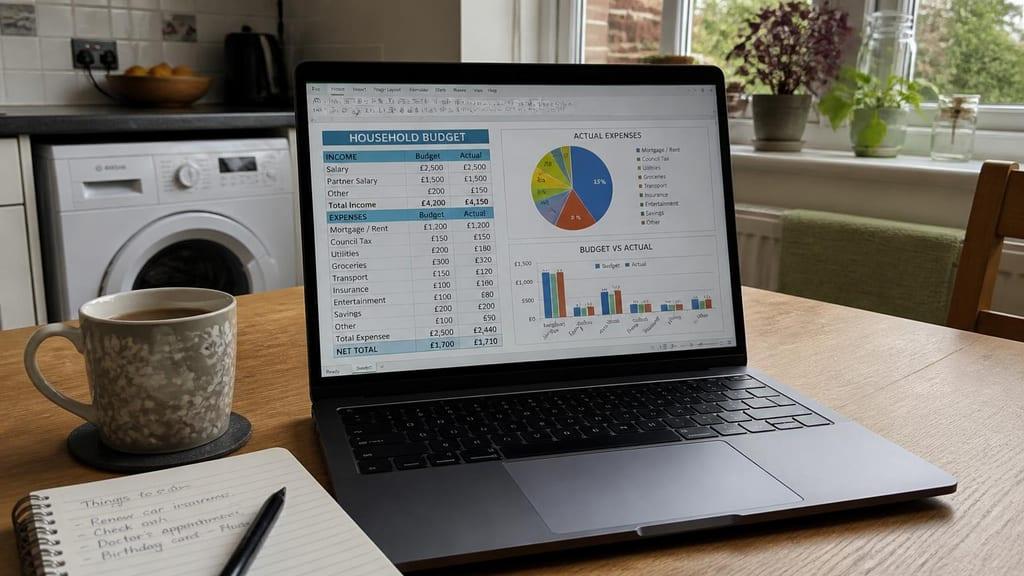
Anthropic launched Claude Sheets on November 10. It is a spreadsheet that lives inside Claude: you ask for a tracker or a budget, Claude builds a working sheet, and then you, your team and Claude edit the same cells. Here is how to use it, based on Anthropic's help page.
Who can use it
Claude Sheets is in beta on the Pro, Max, Ultra, Team and Enterprise plans. It is not on the free plan. On Team plans it is on by default; on Enterprise plans an admin has to switch it on in Organization settings > Artifacts.
5 steps to your first sheet
- Ask in any chat. Anthropic's examples: "Build a campaign tracker with owners, dates, and status" or "Make a hiring budget by team and quarter." For home use, try "a monthly family budget with rent, groceries, school fees and savings."
- Or start from the Artifacts tab. Open Artifacts, choose the Sheets tile, and describe what you want or start with a blank sheet.
- Give it your real numbers. The help page's main tip: say what the sheet is for and what you want to track, and paste in the numbers you already have, so the sheet is built on your data and not on made-up examples.
- Keep working by asking or typing. Ask for changes ("add a column for budget remaining", "highlight anything overdue"), select cells and ask about them ("why is this total higher than last month?"), or type formulas yourself. Sheets supports 144 functions, and every formula stays visible in its cell so you can check the maths.
- Watch the edits, and undo if needed. Each change Claude makes is outlined as it lands. If you don't like where things went, open version history and restore an earlier version.
When you're done, you can share the sheet with your team or export it as .xlsx or CSV. Every sheet is saved in the Artifacts tab.
What it can't do yet
This is a beta, and Anthropic lists the gaps plainly:
- A sheet holds up to 100,000 cells.
- Not yet available: pivot tables, protected ranges, find and replace, multi-column sort, filter views, multi-select dropdowns and PDF export.
- No Excel power features: no macros, VBA, Power Query, DAX or print layout.
- No live data: a sheet can't pull fresh numbers from your connected apps.
- Phone users get read-only basics. Full editing is on the web and the desktop app.
- Sensitive data: HIPAA, customer-managed encryption keys and zero data retention are not supported yet.
Sheets or Excel?
Anthropic's own advice: use Claude Sheets for a light, shared sheet you build with Claude. If your file already lives in Excel or Google Sheets, or you need their full feature set, use Claude for Excel, Claude for Google Workspace, or export the sheet. For a family budget or a small project tracker, Sheets is enough. For your company's financial model, it isn't, yet.
Sources
In this story
Source: support.claude.com