Claude can now turn what it builds into Mac and Windows apps
The beta is free on every plan, but apps can ask for full access to your files, and Anthropic does not review them.
In brief
Anthropic's Claude can now turn what it builds into Mac and Windows apps
Anthropic released Install as app in beta on November 24, 2026, for every Claude plan including the free one. A tool Claude builds in a chat can now live on your computer with its own icon and window. Apps can ask for full access to your files, and Anthropic says it does not review them.
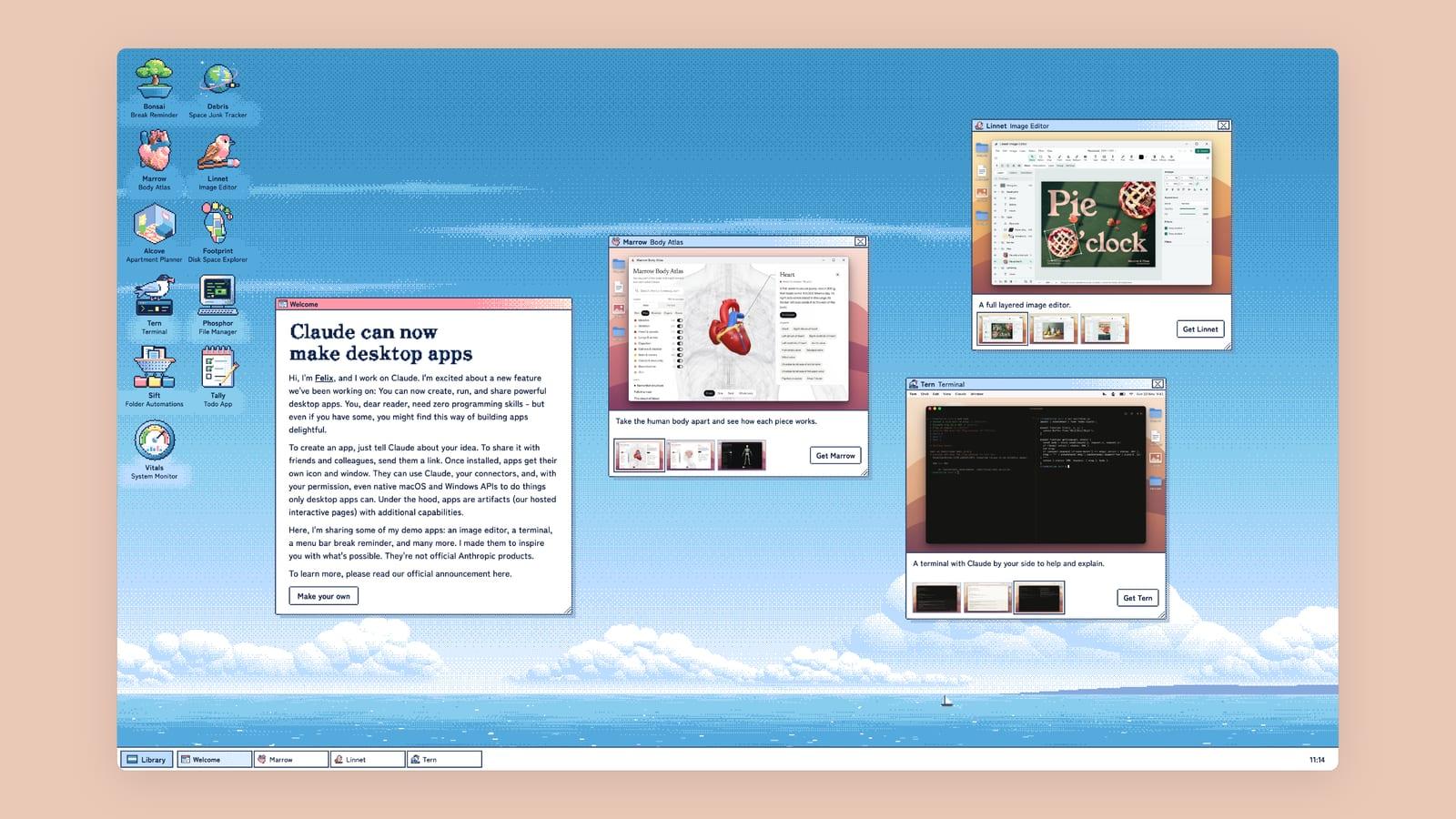
You can now ask Claude for a small program, click one button, and have it sit on your Mac or Windows PC like any other app, with its own icon and its own window. Anthropic released the feature, called "Install as app", in beta on November 24, 2026, for every Claude plan including the free one.
The catch sits in the permissions screen. These apps can be allowed to run programs and delete files on your computer, and Anthropic says plainly that it "doesn't review apps before you install them".
only give full access to apps you trust.
What changed
Artifacts are the small pages, charts and tools Claude builds in a panel next to the chat. Until now they lived inside Claude. According to Anthropic's announcement, an installed artifact now opens in its own window, can be shared with other people, and updates itself whenever the artifact behind it is edited. It can call Claude and your connectors, the links you have set up to services such as your email or calendar.
You don't package or sign anything, and there is no separate login or API key: the app runs on your Claude account. Every request it makes to Claude counts toward your plan's usage limits, so a chatty app eats into the same allowance as your chats.
Anthropic staff built a handful of examples to show the range: Linnet, a layered image editor; Phosphor, a file manager the company says "looks made for a movie set"; Sift, which sorts folders by rules; Tern, a terminal with Claude beside it; and Vitals, a menu bar app that shows how hard your computer is working. Anthropic's Felix Rieseberg wrote on X that a free account is enough to try it, The Decoder reports.
How much can these apps touch?
There are three levels, and the app has to ask for anything beyond the first:
| Level | What the app can do |
|---|---|
| Default | Only what a web page could do in your browser |
| App permissions | Notifications, keyboard shortcuts that work in other apps, windows that float on top, a menu bar or system tray icon |
| Full computer access | Run programs and read, change or delete your files without asking each time |
A "yes" covers one version of the app. After any edit, including your own, Claude asks again. On personal plans you can grant full access only to apps you made yourself; on Team and Enterprise plans, also to apps made by colleagues. The help page adds two details worth knowing: if an app loads code from another website, that code can change without a new request, and taking full access away later does not undo changes the app already made.
Anthropic's own advice: "only give full access to apps you trust."
Who can't use it yet
- It needs Claude for Mac or Windows, version 6.28899.0 or later. There is nothing for Linux, the web or phones.
- You must be online and signed in to Claude to open an app.
- Docs, Slides and Sheets artifacts can't be installed.
- On Team plans it is on by default with full access off. On Enterprise plans it stays off until an owner switches it on. Organisations set up for HIPAA, the US health privacy law, can't use it at all.
What it means for you
If you already use Claude, this is the easiest way yet to get a small tool made for exactly one job: a timer in the menu bar, a stretch reminder, a script that renames holiday photos by date. Anthropic's help page suggests prompts much like those. You describe it, try it in the chat, then pick "Install as app" from the artifact's menu or the Share menu.
My read: the default level is safe enough to play with. Full access is a different decision. It means an app written by an AI, checked by nobody, can delete files on your machine. Give it only to apps you built and read through, keep backups, and say no to anything shared by a stranger. Anthropic's design already blocks most of that, but the warning is there for a reason.
For developers, the same week brought Claude Ship, which lets Claude approve code changes on GitHub. Anthropic is clearly pushing Claude out of the chat window and onto the desktop, and Mistral gave its coding agent a desktop app earlier in November.
Sources
- Turn artifacts into Mac and Windows apps (Anthropic) (claude.com)
- Install an artifact as an app (Claude Help Center) (support.claude.com)
- Anthropic turns Claude Artifacts into standalone desktop apps for macOS and Windows (The Decoder) (the-decoder.com)
- Anthropic rolls out Install as app on Mac and PC for Claude's Artifacts (The Verge) (theverge.com)
In this story
Source: claude.com